
Build and automate your own AI research agents
AI research agents automate the searching, monitoring, filtering, and synthesis of sources against briefs you write once. I run four: a weekly website curation scout, a daily market intel digest, a daily email digest from newsletters I subscribe to, and on-demand project research dossiers. This article shows how each works, with ideas you might find valuable for your own. The output from the website curation scout lives here hcd.ai/resources/
Extracting value from volume
Information has never been more accessible. Reports, papers, frameworks, news, and social media posts, it's information overload. The problem isn't supply, it's extracting value against the cost benefit of time. Autonomous research agents aren't new, but are becoming increasingly sophisticated and great examples of using agents that anyone can create for themselves.
This article covers four of my research agent pipelines that cover the majority of my current needs that might provide you with some ideas for your own:
- A weekly website content pipeline that builds a library of assets from authority sources.
- A daily market intel pipeline that scans the last 24-hour news cycle and creates 5-minute morning briefings.
- A daily email digest pipeline that scans all my inboxes for the newsletters and feeds I've signed up to and creates a single digest.
- An on-demand project research team that produces decision-ready dossiers when a specific question needs evidence.
Together they keep me up to date without me spending valuable time searching, scrolling social feeds and inboxes.
Research agent components
Research agents and pipelines are built based on various needs requiring different componentry. These are some of the core building blocks I use across my agents.
Monitor: Watches a fixed set of sources on a schedule. The source list is the design choice that determines signal-to-noise, authority over volume. Used by the scout (deep, narrow) and the daily digest (wide, current).
Search: Discovers material on demand against a query rather than monitoring a set list. Used by the daily digest for breaking news and by project research for deep, scoped evidence gathering on a specific question.
Filter: Applies qualifier rules to drop items that don't belong, paired with an anti-pattern list to catch items passing on a technicality. Qualifiers describe what counts. Anti-patterns reject what qualifies but doesn't belong.
Synthesis: Combines findings from multiple sources into one structured output rather than presenting raw items. Core to the digest's morning briefing and to project research dossiers, where the value is integration not aggregation.
Relevance: Explains why an item matters in your specific context, against goals, projects and current decisions. The differentiating value over a generic news scan, the reason my digest beats ploughing through email newsletters.
Verify: Checks URLs and source attributions against the source itself, catching hallucinations before they reach output. Used by all my agents, but especially for content publishing to this website.
Rank: Assigns each item a priority of high, medium, or low based on authority, recency, and inventory gap. High items get scanned first, mediums skimmed, lows ignored.
Propose: Agents present proposed research, I review and approve. Every proposal carries a flag to ensure it never reaches production or used in project context without human approval.
Agent pipeline 1: Weekly website curation
What it is: A weekly agent pipeline that researches and monitors curated sources and proposes additions to the hcd.ai resources section. It runs weekly against an allowlist of consulting firms, frontier AI labs, and academic research sources. I get returned a list of proposed additions, in-situ of the localhost website environment. I review, approve what's useful, delete what isn't, and deploy.
Why it exists: There are 10 resource sections I wish to maintain in the site but simply do not have the time to do this manually. At time of writing there are over 150 curated and highly valuable links. The agent did the scanning; I did the reviewing. Without it, the resources page would still hold whatever I'd bookmarked in 2024. With it, the page reflects this week's frontier.
How it works: The agent loads an exclude list first, then loads per-section sources, qualifiers, and anti-patterns from its config. It runs against each section's allowlist, applies the qualifier rules, and deduplicates against the current inventory. Surviving items get ranked by priority and tagged with a proposed: true flag. Nothing carrying that flag ever reaches production. The items appear on localhost only, in context, where I review them before approval.
How to build it:
- Define one or two sections to start. Playbooks (clear authority criteria, named consulting firms) or research papers (arXiv plus selected lab pages) make solid first sections. Start narrow before going wide.
- Write your allowlist per section. Authority over volume, every time. For playbooks I trust McKinsey, BCG, Deloitte, Accenture, Bain, PwC, WEF, IBM and a few others. For research: arXiv (cs.AI, cs.CL, cs.LG, cs.HC) plus Anthropic, Google DeepMind, Stanford HAI publications.
- Write qualifiers in plain English, not taxonomies. My playbooks rule: "Named playbook with downloadable artefact, OR substantial web-based framework. Enterprise audience." Plain-English rules let the AI apply judgment. Keyword filters catch the wrong things.
- Write anti-patterns with equal care. They eliminate items that pass the qualifier but don't belong. For example, vendor press releases or overtly commercial case studies. Anti-patterns matter as much as the allowlist.
- Enforce propose-don't-publish inside the agent definition itself. Every item carries
proposed: true,proposedDate,proposedReason,proposedPriority. No rsync to production, no git push to a deploying branch, explicit refusal if asked to publish. The human review gate is non-negotiable.
Agent pipeline 2: Daily market intel digest
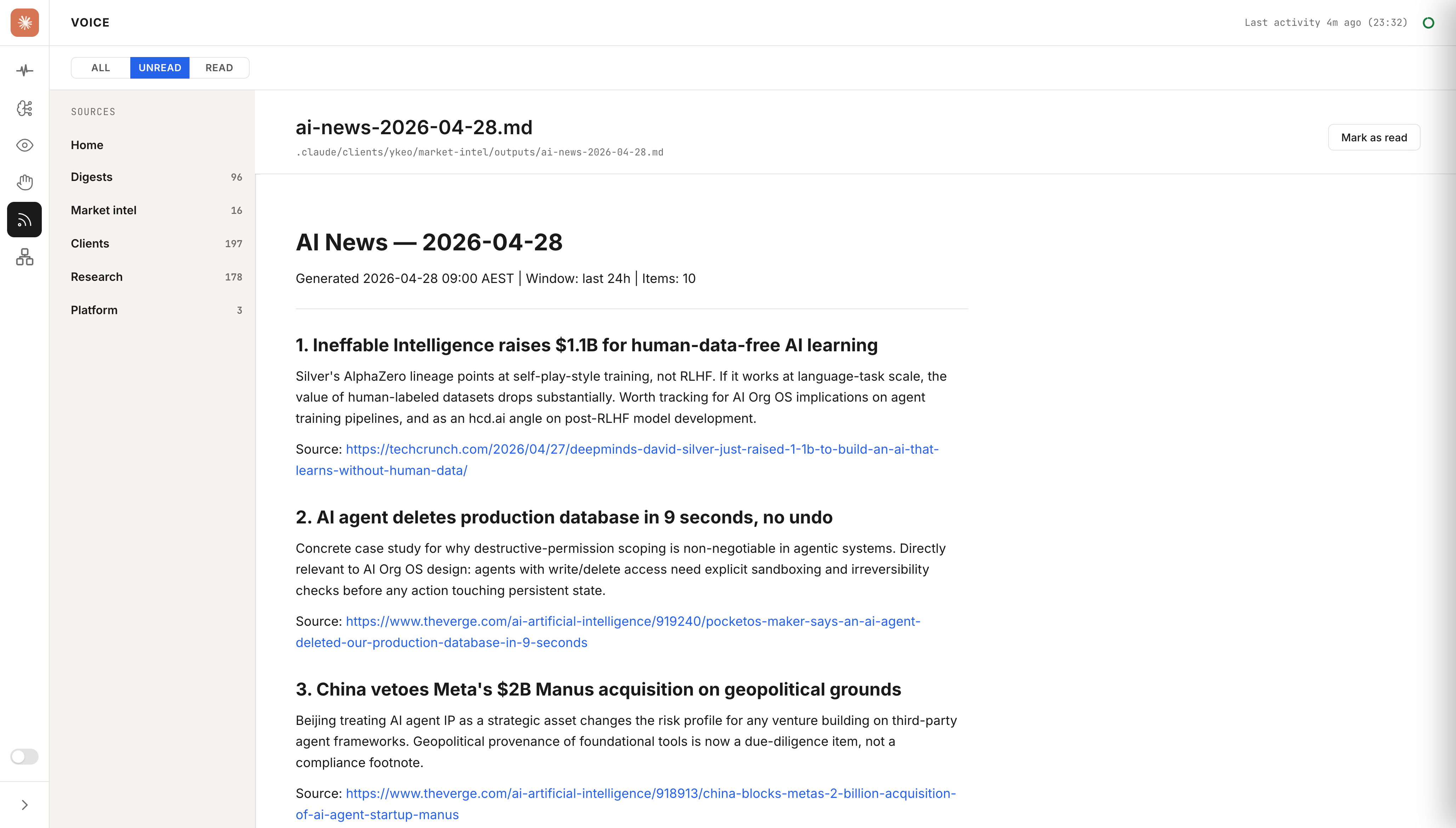
What it is: A morning briefing on AI news, design, model features, and new product launches. Four category files arrive 9am every day, written against my specific brief and projects. Each file holds up to ten items, every item paired with an analytical paragraph rather than just a headline.
Why it exists: The newsletter problem in reverse. Instead of someone else curating for their average reader, this digest is written against my brief using my categories. Each item is paired with an analytical paragraph explaining why it matters to me. A generic news scan gives you headlines, this gives you relevance judgment in advance. That's the design choice that makes the ten minutes of attention valuable.
How it works: A local Python orchestrator runs Brave searches per category, verifies URLs, and calls Claude once per category to synthesise the analytical paragraphs against my context. A launchd job triggers it daily. Output files land in my dashboard. I don't go looking for files, my dashboard surfaces them. By the time I sit down for the day, the briefing is waiting.
How to build it:
- Define your categories. What needs daily triage versus what can wait for a weekly scout? Mine currently maps to general AI news, design-specific AI coverage, model capability changes, and new product releases.
- Write per-category source lists. Brave search handles discovery, but a scoped allowlist keeps results from drifting into other feeds. These can overlap with your weekly scout sources, i.e., the digest goes wide where the scout goes deep.
- Write your context brief, then keep it current. The analytical paragraph only works if the orchestrator knows what you're working on. My brief names active projects, current decisions, and what's off-topic. Update it whenever priorities shift, not on a schedule.
- Lock the output format: headline, analytical paragraph (why this matters for you and your projects specifically), source URL. The paragraph is where the value lives. A link list saves you nothing, whereas a relevance judgment in advance saves you the cold-read mental tax of assessing each item from scratch.
- Set the schedule and surface the output. Pick a fixed time and monitor it. Surface files through a dashboard view, not a folder you have to navigate to. The habit forms around consistent arrival, not the schedule itself.
Agent pipeline 3: Daily email digest
What it is: An agent pipeline that scans my Gmail accounts, reads every newsletter and AI feed that arrived in the past 24 hours, and synthesises a single digest per account. Each digest has an executive summary followed by up to ten ranked items: title, a short analytical paragraph, and link. Everything arrives in the morning, ready to read in under ten minutes. Original emails stay where they are, already sorted into labels by a separate inbox-sort job.
Why it exists: I subscribe to a LOT of newsletters with the intent to read them all but there's a big gap between intent and reality and I just can't bring myself to unsubscribe. Left alone that inbox becomes quickly overwhelming, becoming something I end up half-skimming, or ignore the folder entirely and archive everything. The digest converts that backlog into a ranked reading list. The difference from the market intel digest is the source pool, this one draws from newsletters I've subscribed to, the market intel digest goes out to the web for what I don't know and haven't seen yet.
How it works: Schedules trigger digest scripts. Each script authenticates via Gmail OAuth, fetches emails from the relevant time window, extracts the plain-text content, and ranks and synthesises the top ten items with analytical paragraphs. Digest files land in per-account output folders in my dashboard alongside the market intel files. One morning view, everything in it.
How to build it:
- Sort your inbox first, before you build the digest. You need reliable labels to query against, the digest script needs to know which emails are newsletters and which are transactional. Claude can help with this, an inbox-sort job that runs before the digest job.
- Set up Gmail API access via OAuth2. You'll need a Google Cloud project, OAuth2 desktop credentials, and a consent flow for each Gmail account you want to read. The GCP app should be published (not Testing mode) or refresh tokens expire and you need to keep re-authenticating.
- Pick a synthesis model and write your prompt once. The prompt instructs it to rank by relevance to your active context, write one analytical paragraph per item (not just a headline), and output structured Markdown. The analytical paragraph is what makes this useful; a ranked link list isn't worth the setup.
- Create one script per account, not one monolithic script for all accounts. Accounts have different label structures and different contexts. Keeping them separate makes each one easier to tune independently when one account's newsletter mix changes.
- Schedule with staggered jobs and verify output arrives before you need it. Stagger start times by 2 minutes between the daily accounts so they don't compete for API rate limits. Run a dry-run pass first to confirm email counts before generation. Surface the output somewhere you'll actually see it, a dashboard, a dedicated folder, anywhere except another email.
Agent pipeline 4: Project-level deep research
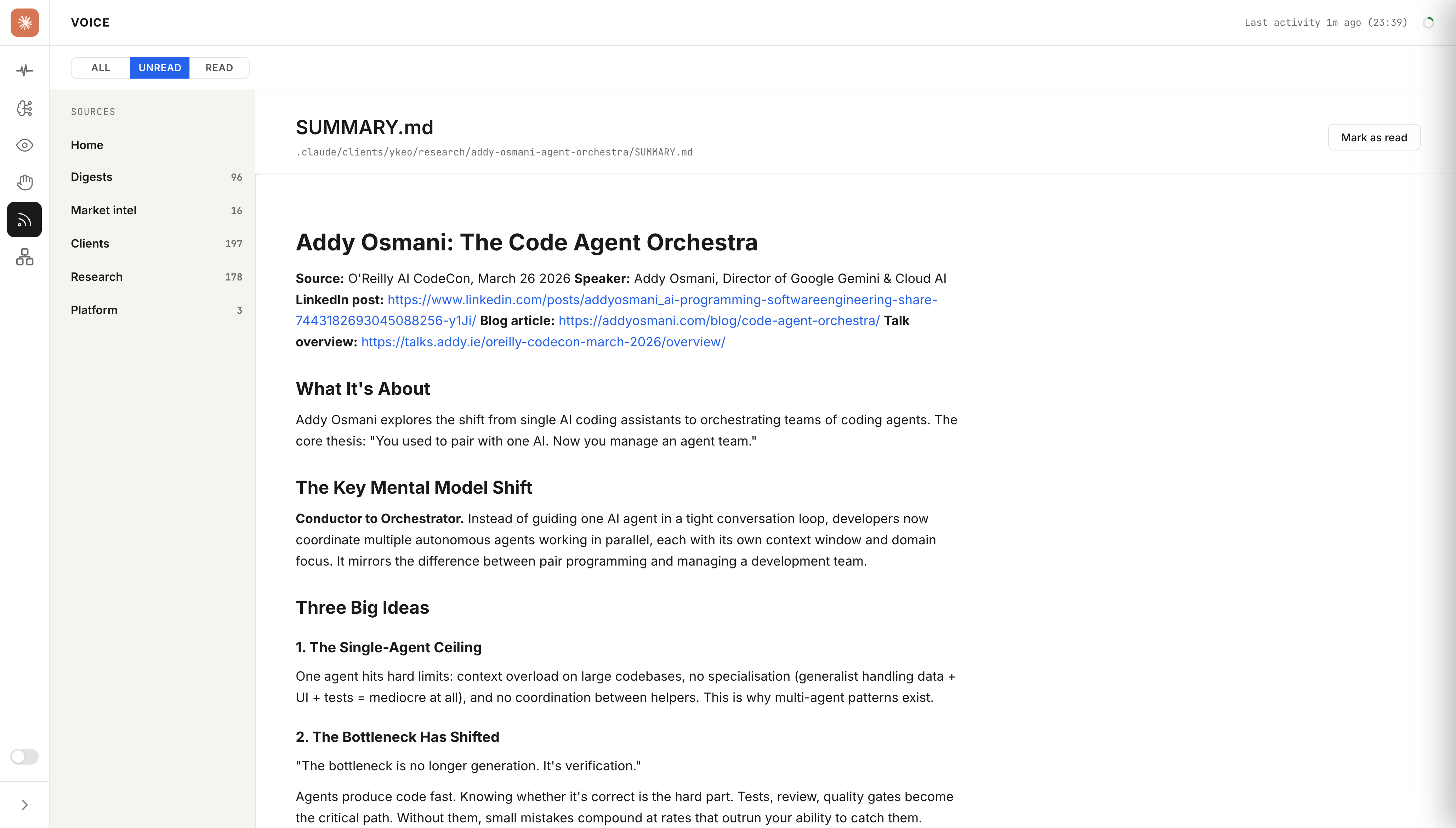
What it is: On-demand, topic-specific research dossiers written against a clear decision question. Not a briefing. Not a catalogue. A single document that gives me everything I need to make one specific decisions. The dossier lives in a centralised research folder, regardless of project or topic, referenced when adjacent decisions come up later.
Why it exists: This is a different job from the daily digest or weekly scout. Daily covers what happened. Weekly covers what's worth keeping permanently. Project research covers "I need to make a decision about X and I need all the relevant signal in one place before I act." A single dossier per decision question, structured to stay navigable months after it's written.
How it works: I give the agent a decision question, a research scope, and an output template. It produces a structured dossier stored at a consistent per-topic path, lives there permanently, and gets referenced when adjacent topics come up later. The agent reads prior work on related topics before starting, so context inherits across dossiers.
How to build it:
- Frame the decision question before you start. "Research AI search" produces a vague dossier. "What can I cite with confidence about AEO citation lift, and what should I treat as vendor-only claims?" produces a useful one. The question constrains everything that follows, including what the agent is allowed to ignore.
- Define the research scope explicitly. Sources to check, time window, competitors or comparators to include, explicit out-of-scope items. Scope creep is the main reason these dossiers drift from useful to unusable over the months you reference them. Constraint protects relevance.
- Write the output template you want the agent to fill. My default: executive summary, what's well-evidenced, what's vendor-marketed, known gaps, named recommendations with reasoning, next-steps list. The template is what makes the dossier decision-ready instead of a pile of findings.
- Let the agent write the first pass, then interrogate the recommendations. Your job is not to accept them uncritically. The agent is faster at gathering; you're better at judging relevance and spotting what's missing in the framing or evidence base.
- Store at a consistent path by topic. Cross-reference existing memory files on adjacent topics before starting a new dossier. Prior research feeds in. You don't rebuild from scratch every time, and you surface connections the agent would otherwise miss across isolated conversations.
Research automation
The thing that makes this a system rather than a set of tools is that three of the four pipelines run without me touching anything. The weekly scout works aware in the background. The market intel digest and email digests arrive before I start work. I open my dashboard and everything is there ready for me to read. That automation and analytical review provides me with a highly relevant and valuable information stream.
Next steps
Each pipeline solves a different value extraction problem. Which one will you get started with?
No local setup: ChatGPT and Claude both provide the ability to create custom agents which can be used to create similar capability, including the ability to connect your gmail account.
Claude Code: This is my preference and what I have set up. It provides me with broader capabilities such as integrating as part of project workflows and feeding my memory system.
Frequently Asked Questions
What is an AI research agent?
An automated system that searches or monitors sources, applies qualifier rules you wrote once, filters out noise, deduplicates against what you already have, and proposes new items for you to review. The monitoring and proposal layer is what separates it from a search.
How is this different from just using Perplexity?
Perplexity answers questions you ask. A research agent monitors sources you trust, on a schedule, against a brief you wrote in advance. It's not reactive, it's proactive. It remembers what you already have, applies your qualifier rules, and ranks findings by priority against your specific knowledge gaps. Perplexity does none of that.
How often should a research agent run?
Depends on the job. Daily for market intel, you want it before your first meeting, not three days later. Daily for the email digest too, since newsletters accumulate fast and a week's backlog stops being useful. Weekly's a good place to start for website content curation. On demand for project research, trigger it when you have a specific decision to make, not on a schedule.
Do I need to write code to build one?
Depends which pipeline. The weekly scout and project research need no code, prompt files and qualifier rules in plain English. The market intel digest uses a Python orchestrator and Brave Search API. The email digest uses per-account JavaScript scripts and Gmail OAuth2. The code for both is covered in each pipeline's build steps.
Is there a risk the agent hallucinates sources or URLs?
Yes, and it's the reason why reviews are so important. I catch URL errors and misattributed sources during the during review and my memory file tracks source-attribution mistakes from prior runs so the same errors don't repeat. But the human review is non-negotiable.