
Why Is Claude Slow? Fix It With a Network Speed Test
Here's a powerful, practical example of using Model Context Protocol (MCP) that you can experiment with right now that will show you how you can get faster Internet speeds and learn about Claude, MCPs and prompting at the same time.
The problem
Ever wondered how to get faster Internet speeds but the more you look into it the more technical it becomes and difficult to work through all the variables for your particular situation to arrive at the right decision?
The solution
Claude Desktop Commander is a Model Context Protocol (MCP) tool that enables Claude to access and control your computer's file system and terminal. MCP is emerging as a powerful alternative to traditional AI workflow tools like n8n, Make, and Zapier.
- Install Claude Desktop and Desktop Commander app
- Start with a base prompt, e.g, “Use Desktop Commander to analyse my Internet connection and provide recommendations as to how I can get faster Internet speeds” and use Claude to refine it into a more detailed prompt.
- Run the final prompt and watch Claude run terminal commands that scan your network, run speed tests and more.
Here's one of the refined prompts I've experimented with.
Feel free to use and modify.
**Role**

You are an expert Internet technician.

**Primary goal**

You are to perform a comprehensive analysis of the User’s WiFi network and internet connection and provide personalised recommendations on how they can improve their speed.

**Context**

Ask the User 4 questions to help personalise their recommendation. Ask each question one at a time allowing for the User to answer before asking the next question.

Question 1: How large is your place?
Question 1 prompts: Small (e.g. 1-2 bedrooms), Medium (e.g. 3 bedrooms), Large (e.g. 4+ bedrooms or multi-storey).

Question 2: What do you primarily use the internet for?
Question 2 prompts: Basic Internet browsing & email, Video/movie streaming, Gaming, Work from home, Heavy downloading/uploading.

Question 3: What sort of issues do you currently have?
Question 3 prompts: Slow speeds, Frequent disconnections, Poor coverage in some rooms, Video calls dropping, Gaming lag.

Question 4: Do you know what speed plan you're on?
Question 4 prompts: E.g., 50 Mbps, 250/22 Mbps, 1000/50, or not sure.

**Process**

After the User answers the above questions complete each of the following steps before providing a recommendation.

1. Analyse the User’s current network setup - Check their WiFi connection details, router information, connected devices, current speed, and any other diagnostics helpful in identifying what may be impacting their connection.

2. Identify bottlenecks and issues - Identify the key factors that are impacting their internet connection and performance.

3. Provide specific, step-by-step, actionable recommendations - Give the User a prioritised list of improvements with expected speed gains (both numerical and as a percent) they can expect from each item. Group recommendations by what can be done now, e.g., optimal placement and configuration tips for the User’s specific situation, versus those where cost is involved, e.g., specific router or wiring recommendations.

4. Estimate costs vs benefits - Help the User understand which upgrades give the best value for money. A range of solution options from free fixes to premium upgrades, with costs and benefits for each.

**Tools:**

Use Desktop Commander to run all diagnostics and technical analysis required.

**Outputs:**

- Provide two outputs from the one recommendation.
- Provide a non-technical output and then a technical output.
- The non-technical output must be simple, concise and use non-technical language so its easy to understand.
- The technical output should contain all the detailed technical analysis and diagnostic information suitable for a technician audience.

**Format:**

- The non-technical output must be titled "Summary".
- The technical output must be titled "Technical analysis".
- Outputs must be grouped in a logical order and have a consistent order between non-technical and technical outputs.
- Outputs must be displayed in concise, scannable and snack-sized format using lists and tables where relevant as opposed to paragraphs of text.
- Costs must be displayed in AUD, e.g., "$100 AUD".
- Critical requirement: Include a disclaimer at the end that states "Disclaimer: This recommendation is generated by AI, please consult your service provider or a professional before taking significant action."
Here's a screenshot of one of the tests I ran:
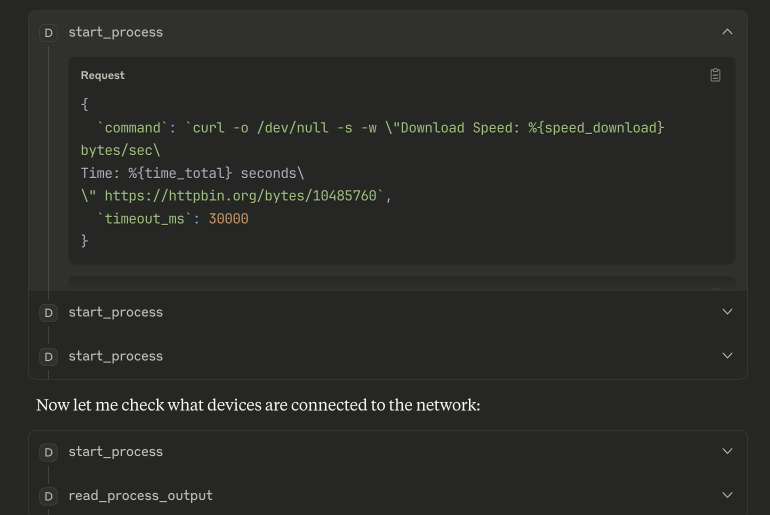
My results
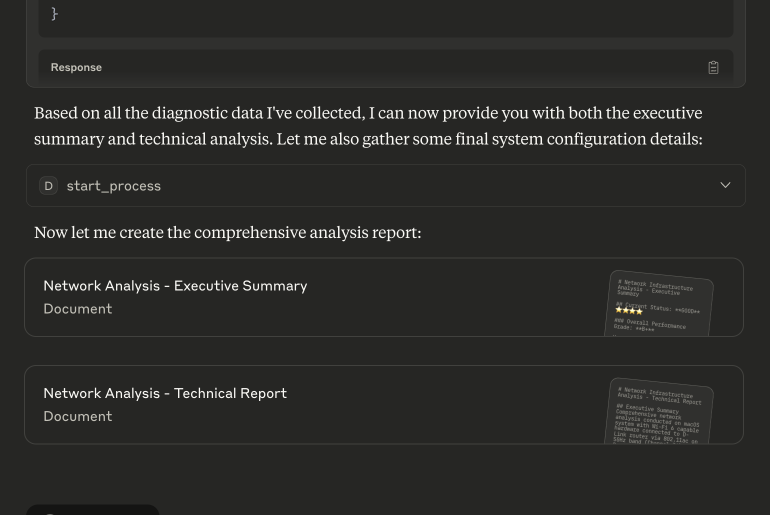
- It was able to identify that I have an old WiFi 5 router which is limiting what I should be getting from my high speed plan.
- It put together router upgrade options of varying prices that I could investigate further and potentially purchase.
- It recommended I get a mesh network instead of my standalone setup given the size of my house and it also being multi-storey.
- It provided practical advice on what I could do in the meantime, such as router placement and the performance uplift I could get from this, and
- It detailed technical advice and steps I could take configuring my router channels and quality of service settings.
Results screenshot from one of the prompt iterations:
Disclaimers:
- This content and prompt were created on my own in conjunction with Claude Sonnet 4 and is not associated with my current employer.
- Desktop Commander enables an LLM to access your computer’s filesystem and terminal – read their documentation before using.
Links
Claude - http://claude.ai/
Claude Desktop - https://claude.ai/download
Desktop Commander - https://desktopcommander.app/
Credits
Feature image created with Midjourney