Stop paying for AI subscriptions!
Yes, one of those posts, but it’s true, $20 a month here, $20 a month there, adds up quickly, and there’s always something new to drop another $20 a month on, or more (let’s not get started on Google Veo 3’s price of $249 a month), and these prices are in USD...
I won’t bore you with the journey, but after many months of trialing and paying for different tools and subscriptions this is my current setup, and one which I’ve been very happy with this year and significantly less out of pocket.
This isn’t a comparison article, if you’re happy with what you’ve got keep it, but if you’re looking for a better setup, I believe this is a good place to start. For practical examples of what you can build with these tools, see how I use Claude + Desktop Commander for real-world automation.
Please note that I am not affiliated with any of the products mentioned below.
My current setup
Msty (on desktop) + ChatGPT (on mobile)
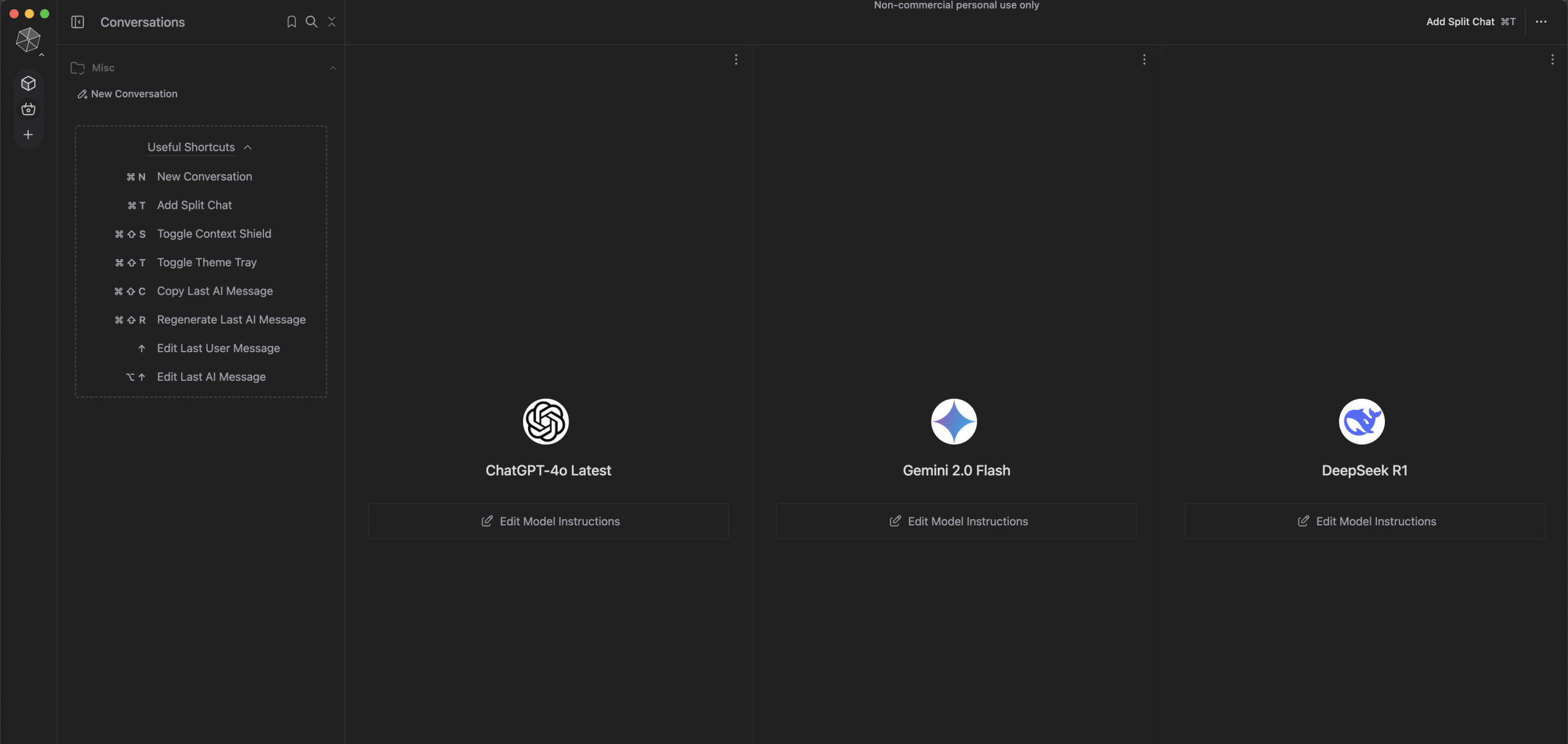
Msty provides a powerful desktop application where I can run multiple LLMs and where I interact and experiment the most, while ChatGPT on mobile provides that native experience while I’m out and about.
https://msty.app/ + https://chatgpt.com
Why this saves money
Msty is free for non-commercial use and enables you to download and run open source models such as Llama (Meta), Gemma (Google) & DeepSeek—this is the 100% free option.
Msty also enables you to connect to proprietary models such as ChatGPT, Claude, Gemini & Perplexity via their APIs—the benefit of connecting this way is that accessing their APIs requires no ongoing subscription and is pay-per-use.
What I’ve found with pay-per-use is even though I primarily use one model, it’s still cheaper to use than via a subscription, and of course if I want to jump over to another model and try something out I have that flexibility for minimal cost.
Key features
Msty’s website has a full list of features so I’ll just call out my favourites.
Run open source LLMs locally – if you’re working on something you want to keep private and not sent to the cloud this is a great option.
Knowledge stacks – point to local folders of files to quickly create your very own RAG (Retrieval Augmented Generation) system—great for research.
Great user experience – great looking and easy to use, and incredibly valuable conversation management with workspaces and folders.
Concurrent split chats – see how multiple LLMs respond to the same prompt and work with the best response.
Prompt library – no more copying and pasting your favourite prompts—save, edit and fine tune them from a library or select from those pre-installed.
Mobile app
Unfortunately Msty does not have a mobile application at this time so this is where I do pay for a subscription so I can use an LLM on the go.
Currently this is ChatGPT because I’ve been using it for so long and it now includes image generation. I have recently been considering swapping my ‘paid subscription budget’ to Perplexity given its web search capability, however I think I’ll land on Claude.
Another post, but with Claude you can work with MCP (Model Context Protocol) servers, think of them like extensions for your browser, and just add live web search capability as part of your personalised toolset.
Links
ChatGPT – https://auth.openai.com/create-account
Claude – https://console.anthropic.com/
Gemini – https://aistudio.google.com/app/apikey
Msty – https://msty.app/
Perplexity – https://www.perplexity.ai