
n8n AI workflow hack
Here’s a hack to get you quickly started with AI workflows.
n8n is currently my favourite tool for the job but it can be a little intimidating getting started or figuring out which nodes to use when there are over 1K integrations!
n8n have 3K+ templates which is a great place to start but one of the key features it has is its ability to import and export workflows as JSON files.
Enter Claude.
Simply describe what you want the automation to do and ask for the JSON file. Then import this into n8n and configure the integrations. For a practical example, check out the Free Receipt Extractor AI workflow I built using this approach.
Now it’s not perfect but it does provide a huge headstart when starting out creating your own custom AI workflows.
Key learnings
1. Describe the workflow in the sequence it’s executed
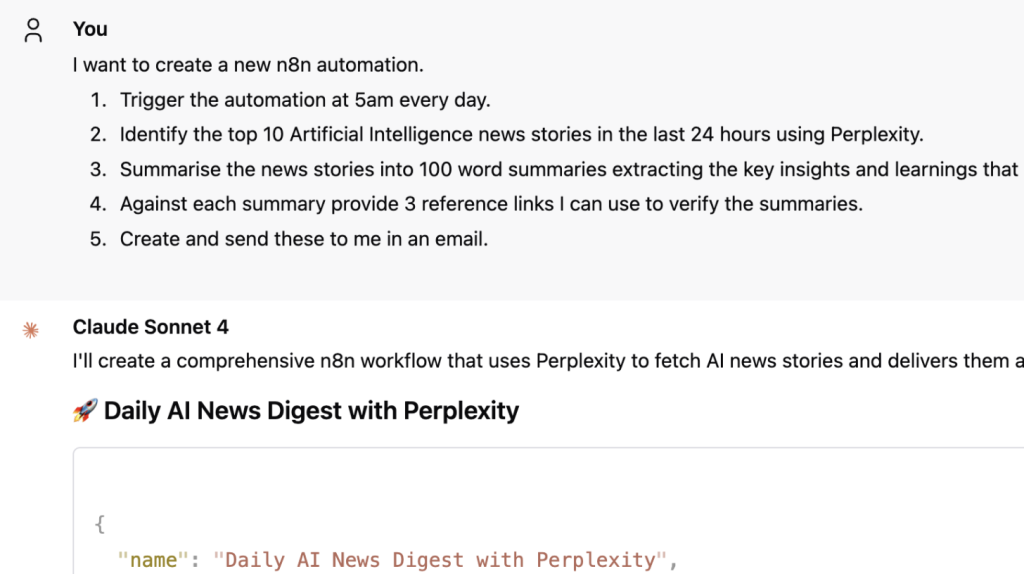
Don’t just list features, describe the exact order of operations. This also helps with your planning and thinking about exactly what you want the AI workflow to do.
Example only:
1. Trigger the automation at 5am every day.
2. Identify the top 10 Artificial Intelligence news stories in the last 24 hours.
3. Summarise the news stories into 100 word summaries.
2. Create and import small portions at a time
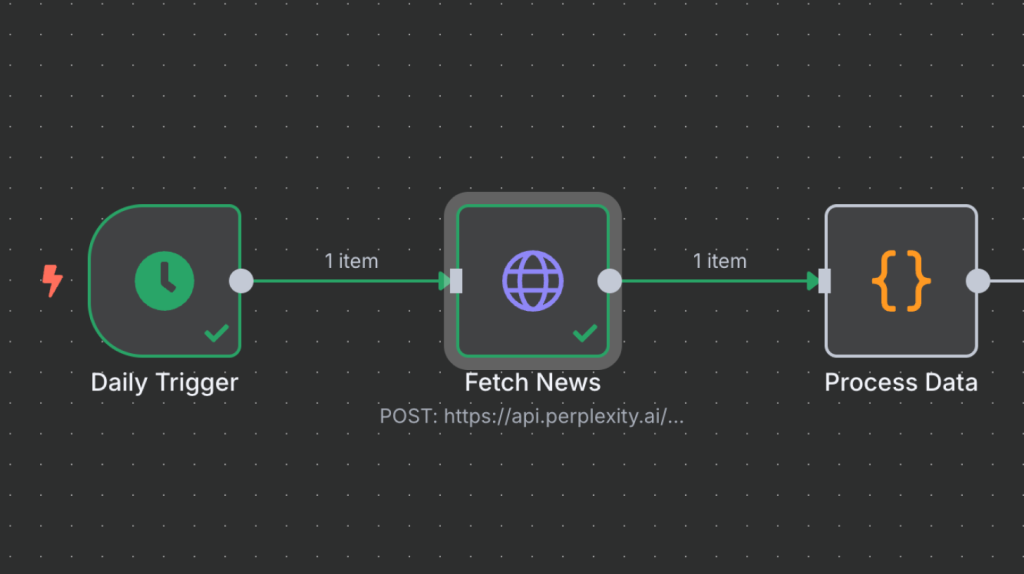
Sometimes Claude nails it first-time and the JSON file is imported error free. Other times it might take a couple of iterations. I’ve found creating and importing small portions of the overall workflow has worked best for me.
This also helps make me think about how I can make the AI workflow modular and in doing so reuse portions of the workflow for other projects.
3. Work through each n8n node pinning data as you go
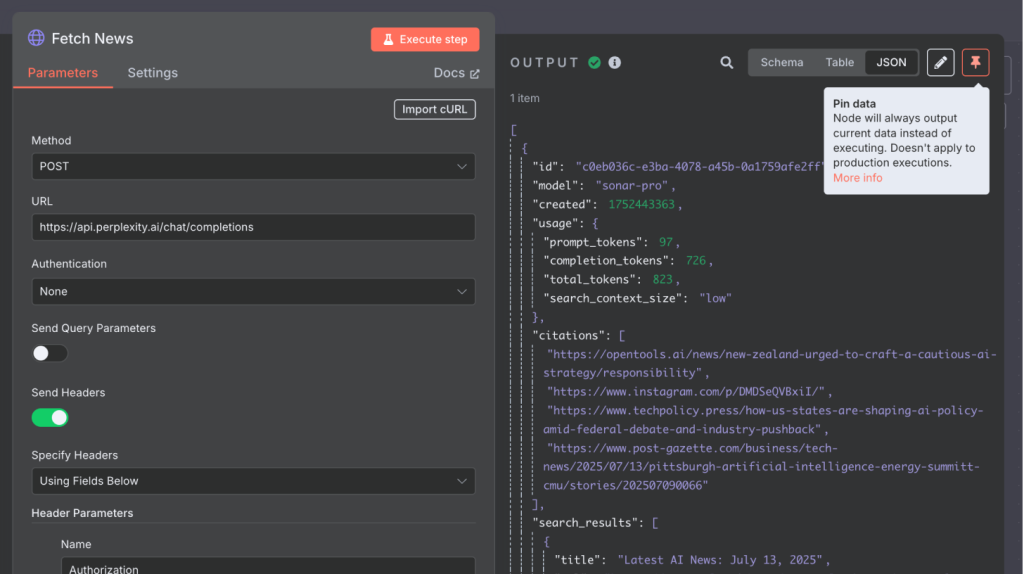
It might be obvious but start with the first node first and progressively work through configuring and testing each node as you go.
n8n has a pin data feature which means once you execute a node successfully you can save the data at the node so when you progress to the next you don’t have to run the whole workflow you can just use the saved data from the previous step.
4. If using Msty check your Context Message is limited
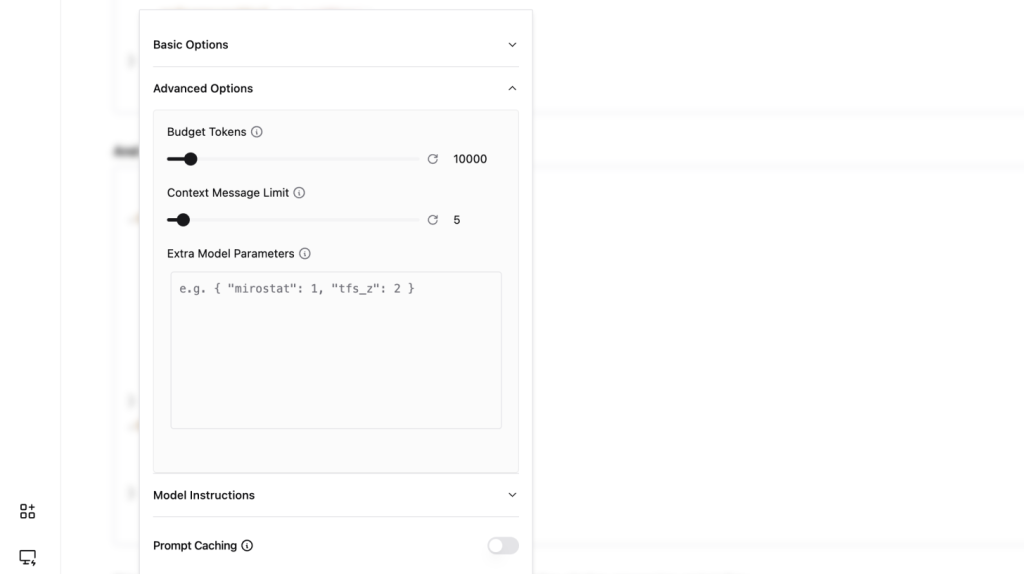
Msty enables me to tap into any LLM but most of the n8n AI workflows I create I work with Claude Sonnet 4. It also enables finer control of interactions with LLMs, e.g., token usage, extra model parameters, and context message length.
It’s important to reduce the context message length to the most recent conversations as the JSON created can be quite lengthy and you don’t want all your past iterations being sent to the LLM each time you ask for an update.
More about Msty here:
Stop paying for AI subscriptions
5. Don’t forget to use Claude for troubleshooting
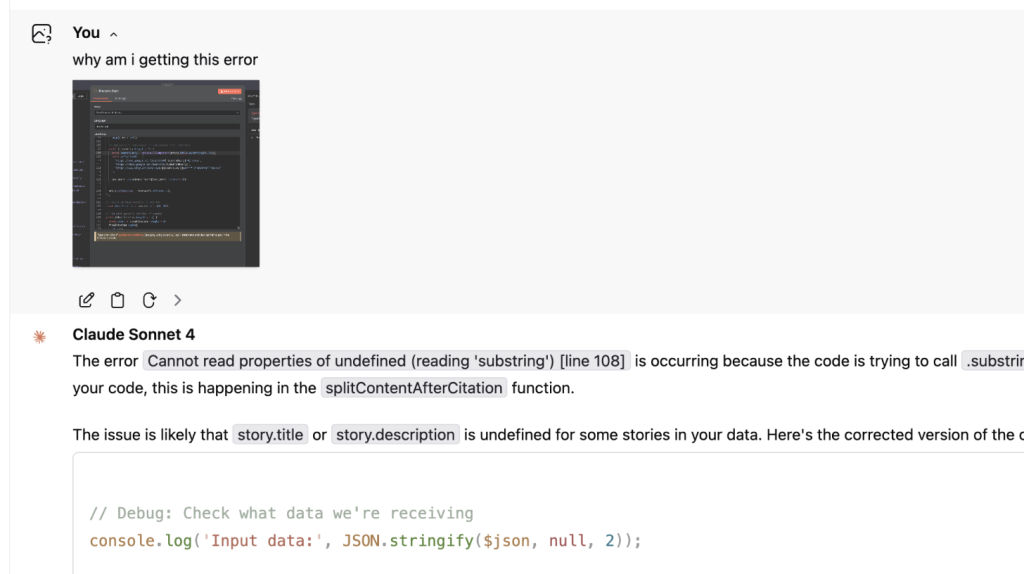
It might be obvious but don’t forget to use Claude for help or to troubleshoot errors once you’re working in n8n. Don’t know what to do in a configuration? simply take a screenshot and ask Claude.
Claude also comes in especially helpful in writing code in parts of your AI workflow without the need to know how to code.
System prompt
Here's a basic System Prompt you can use to get started:
# Role #

You are an expert n8n AI workflow developer.

## Objective ##

Your primary objective is to create complete, importable and error free JSON workflows based on User requirements.

## Core principles ##

- Always provide full JSON workflow exports ready for direct import into n8n.
- Use proper n8n node syntax and connections.
- Include error handling and conditional logic where appropriate.
- Optimise for real-world reliability and performance.
- Explain key workflow logic concisely.

## Workflow structure ##

- Start with trigger nodes (webhook, schedule, manual, etc.).
- Include data transformation and logic nodes as needed.
- End with action nodes (notifications, database writes, API calls).
- Ensure all node connections are properly mapped.
- Reference n8n documentation as needed here: https://docs.n8n.io/

## Response format ##

1. Brief workflow description
2. Complete JSON export
3. Setup instructions (credentials, webhook URLs, etc.)
4. Key variables or configurations to customise

Focus on simplified, production-ready solutions that can be immediately deployed and customised.
Links
Claude – https://claude.ai/
Msty – https://msty.app/
n8n – https://n8n.io/
